Jiggle Wiggle
A focus-assistance system for ADHD students in remote learning.
2024
Sep — Dec 2024
Personal Project — Concept, prototyping, interaction design
Figma · Arduino · Cinema 4D · Adobe Illustrator
#Interactive Product · #Behavior Design · #Accessibility
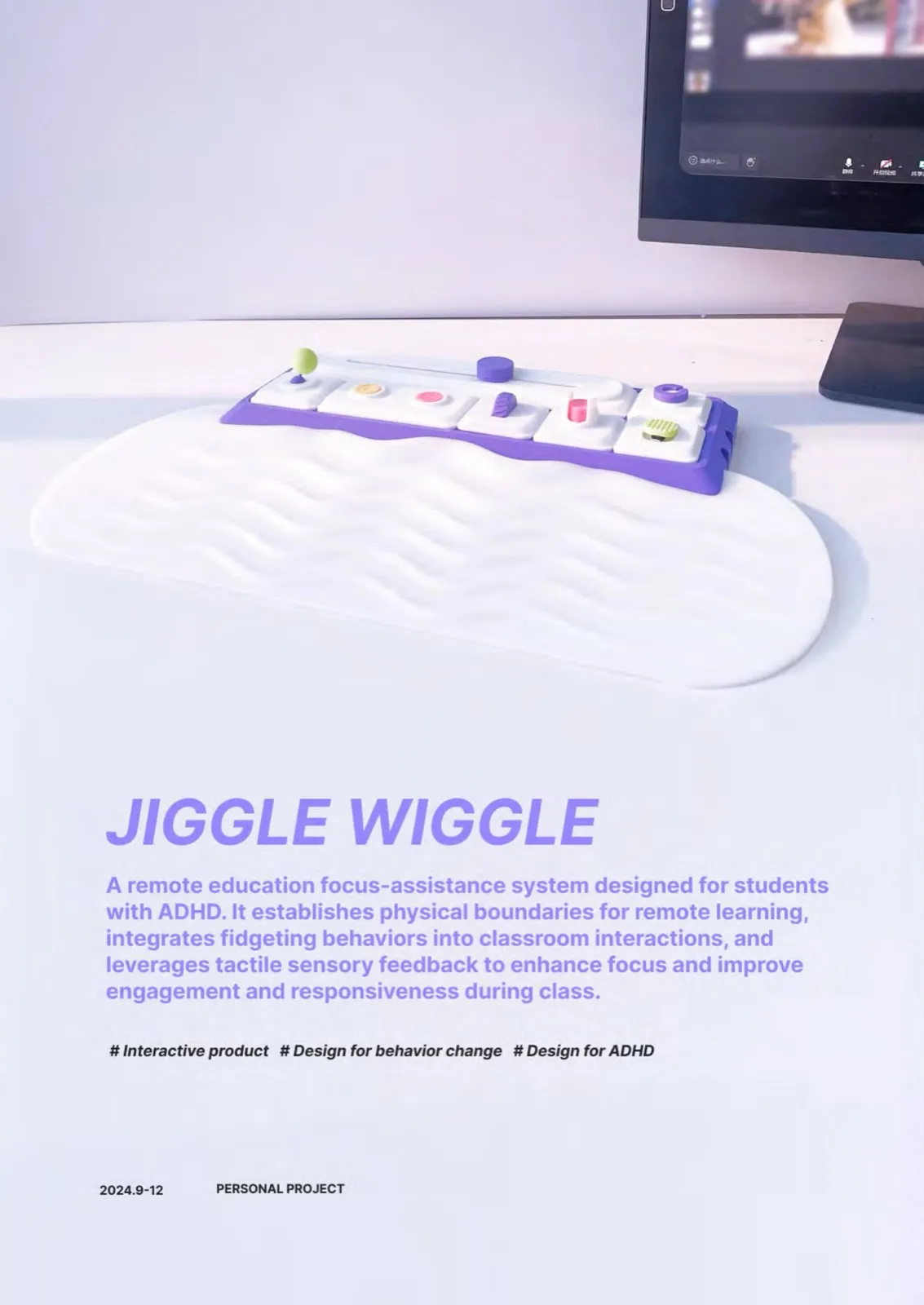
A tactile companion that re-introduces physical engagement into remote classrooms. By channelling fidgeting into purposeful interaction, it helps students with ADHD sustain attention without disrupting class flow.
Why this project
Remote education broke a quiet contract. In a physical classroom, attention is supported by countless small frictions — eye contact, posture shifts, the rustle of paper, a teacher walking past. Online, those scaffolds disappear.
For students with ADHD, the impact is sharper. Research shows their attention spans drop from 45–60 minutes in a classroom to 10–15 minutes online, and one in three reports struggling to stay engaged at all.
Yet fidgeting — long treated as a symptom to suppress — can actually support attention regulation when paired with the right channel.
The opportunity
Can we redirect fidgeting behaviors through design to enhance focus and self-regulation for ADHD students in remote learning?
Research
I conducted semi-structured interviews with three students who exhibit ADHD-like tendencies, alongside a short literature review. Five recurring patterns emerged:
- Lack of physical boundaries — the body has no signal that “class has begun.”
- Single sensory channel — vision-only learning fatigues quickly.
- Passive monologue — no rhythmic call-and-response.
- Ineffective teacher cues — instructors can’t read disengagement remotely.
- Excess cognitive load — long screens drain energy faster than they replenish it.
Design principles
- Channel the energy, don’t fight it. Fidgeting becomes the input.
- Diverse sensory feedback. Pressing, sliding, kneading, balancing — each module gives a different tactile reply.
- Modular & customizable. Students assemble the layout that suits them, the way they’d build a workspace.
- Quiet by default. Visual cues live in a secondary screen, never on top of the lecture.
The system
A tactile mat with magnetic, swappable modules sits beside the laptop. Each module maps to a classroom action — answering, raising a hand, requesting a slower pace, taking a micro-break. An ultrasonic sensor detects severe focus drops; a soft on-screen prompt appears, and tapping a module clears it.
Outcome
A working hardware prototype, an interactive companion app, and a documented design system. Tested with three target users; all three reported increased class engagement and a felt sense of “permission to move.”